
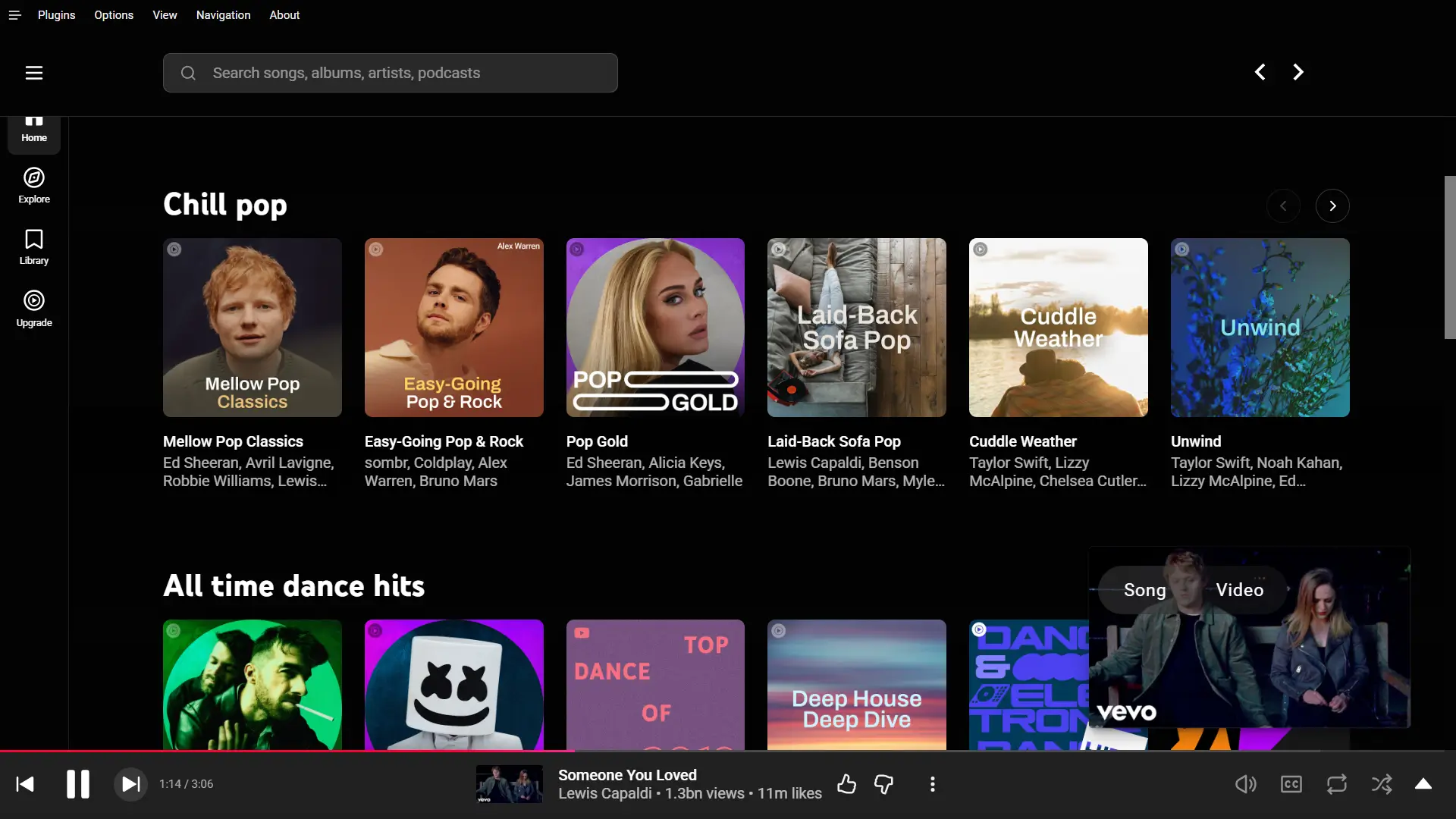
Ad-free listening
It blocks ads. So your songs play one after another with no interruptions in the music.
Pear Desktop is an open-source YouTube Music client for Windows, macOS and Linux. It offers many features including SponsorBlock, ad-free listening and more.
Pear Desktop takes YouTube Music and adds the tools that make daily listening better.
It blocks ads. So your songs play one after another with no interruptions in the music.
Skips sponsor parts inside videos on its own, so you jump straight to the song.
Download your favourite tracks for offline listening with just a few clicks.
Pear Desktop gets updated automatically within the app.
Plugins, also known as features, help you use options like "Skip Silences".
Change colours and looks with your own themes for a fresh feel.
Show your friends what you are playing right now on Discord.
Shape the sound with an equaliser, smooth crossfade and a volume boost.
Media keys, a tray icon and a mini player keep control close while you work.
Pear Desktop supports multiple languages, including Spanish, French, German, and 67 others.
Every feature is a plugin you can switch on or off. Open the Plugins menu and turn on only the ones you want.
Adds Dislike, UnDislike, Like and UnLike buttons to the album or playlist.
Paints the app with colours taken from the album you are playing.
Applies a soft glow around the music poster using the colours on screen.
Adds YouTube Music support for the Amuse Now Playing widget.
Adds an API server to control the player.
Lowers the loudest parts and lifts the softest parts so the volume feels even.
Lets the app sign in and connect through a proxy server.
Gives the top bar a soft, frosted-glass effect.
Turns on captions and lets you choose your preferred language.
Shows the current time in the navigation bar while you listen.
Blends one song smoothly into the next with no gap.
Listen to your music on any speaker or headset you connect.
Stops the next track from starting on its own.
Shows your friends on Discord what you are playing.
Blocks tracking and ads so your music plays without interruption.
Download songs and playlists to your computer for offline listening.
Shapes the sound by adjusting bass, treble and more.
Makes the volume slider feel smooth and natural, so it is easier to set lower volumes.
Gives the menu bar a fancy dark look tinted with the album colours.
Link your music to Lumia Stream to drive lights and effects.
Lets friends share one queue and listen along in sync.
Adds back and forward buttons to move through pages.
Pops up a desktop note each time a new song starts.
Tunes the app to run lighter and feel faster.
Floats the video in a small window that stays on top.
Plays a song faster or slower to suit your mood.
Gives you fine, step-by-step control over the volume.
Keeps track of the music you play through Last.fm and Listenbrainz.
Skips any track that you have marked with a thumbs down.
Jumps over quiet gaps to avoid silences between songs.
Skips sponsor parts inside videos and jumps directly to the music.
Choose lyrics from providers like YT Music, LRCLib, MusixMatch and LyricsGenius.
Control the music from the Windows taskbar.
Gives the player a clear, glassy look.
Works with the Tuna plugin for OBS so streamers can show your music.
Keeps the player out of the way until you need it.
Lets you choose the video quality that fits your connection.
Switches between the song and its music video in one click.
Shows moving graphics that dance along with your music.
Set global hotkeys for playback, override the media keys, use Ctrl or Cmd + F to search, turn on Linux MPRIS media keys and add your own custom shortcuts.
40 built in plugins and more added over time.
Free, open-source and ready for your system. Pick your platform below.
Latest version v3.12.0Short answers to the questions people ask most about Pear Desktop.
Pear Desktop is a free and open-source client app that plays YouTube Music on Windows, macOS and Linux. It also adds useful plugins such as ad-free playback, SponsorBlock, song downloads, synced lyrics and many plugins you can turn on or off.
Pear Desktop is built by the pear-devs team. This is a group of open-source volunteers.
YTM Desktop is another open-source YT Music client for Windows, macOS and Linux distros. It is developed by Adlerluiz.
A plugin is a small feature you can enable in Pear Desktop. Each plugin does one job, such as blocking ads. Open the Plugins menu and enable the ones you want.
Open the Plugins menu, find the option called "Do Not Track" and turn it on. Also, enable the SponsorBlock plugin to skip sponsored segments in songs and videos.
Pear Desktop runs on almost every modern Linux distribution, including Debian, Ubuntu, Linux Mint, Pop OS, Fedora, openSUSE and Arch Linux. It ships as AppImage, deb, rpm, snap, flatpak and a plain tarball, so you can pick the format your system likes.